
Real-time access control for your container yard
Your customers book their own appointments right in the app and get a QR ticket. The gate scans it and records the entry with photos, and you see the whole yard in real time. The Ovenfo AI Agent is included.
Occupied Reserved Free 63% occupancy (example)
Access control, with all its benefits
Features already in the product, from the appointment to the exit.
From appointment to gate, paperless.
This is how a truck travels through Yard, from the appointment your customer books to the record at the gate. Every screen is a real capture, in the Spanish of the pilot.
-
Step 1 Customer books directly
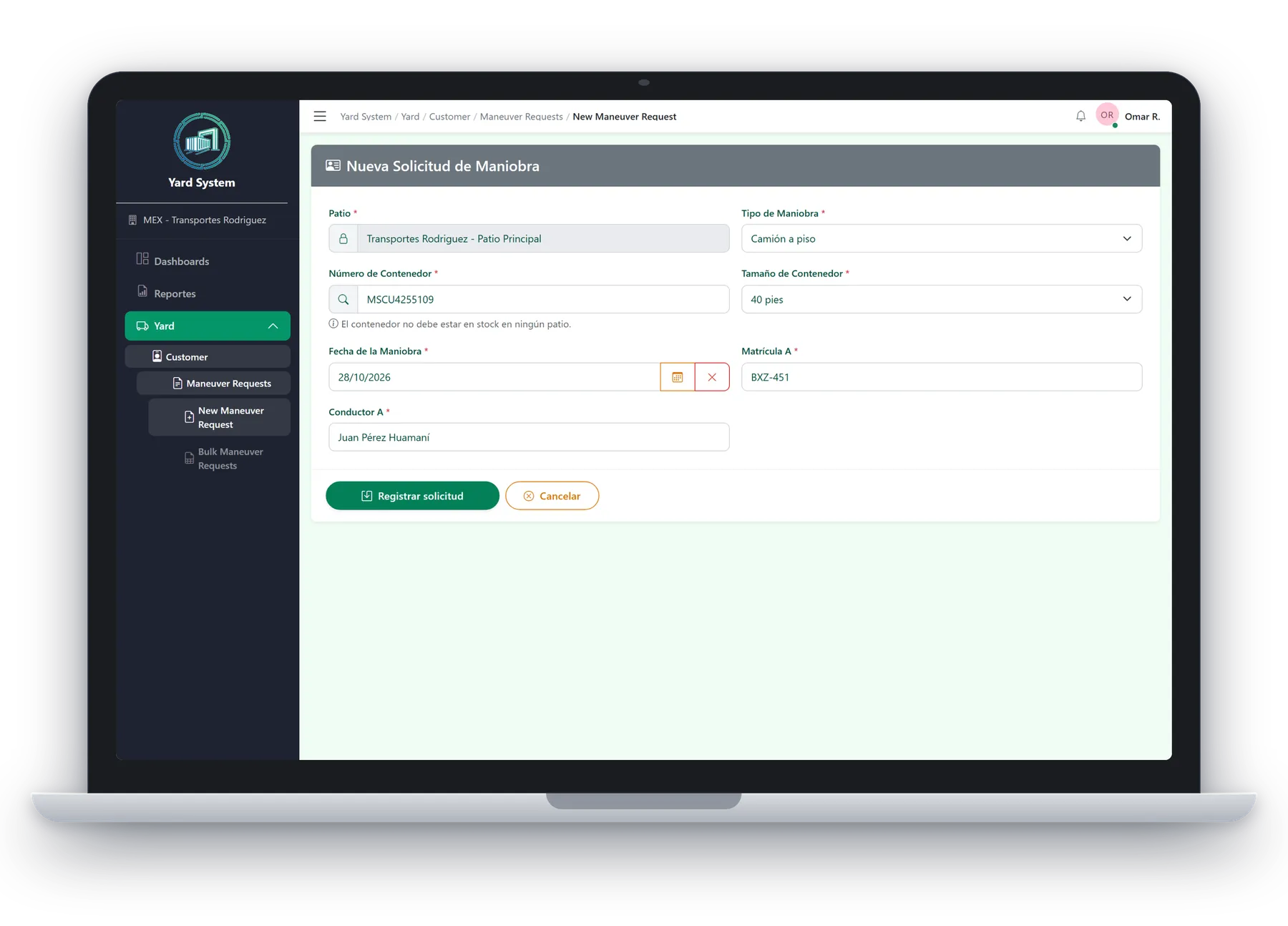
Your customer books in minutes
The transport company registers the maneuver request with yard, maneuver type, container, date, plates and driver. The system validates the container before saving.
- Container validation while you type
- Bulk upload from Excel with a downloadable template
New maneuver request -
Step 2 QR ticket
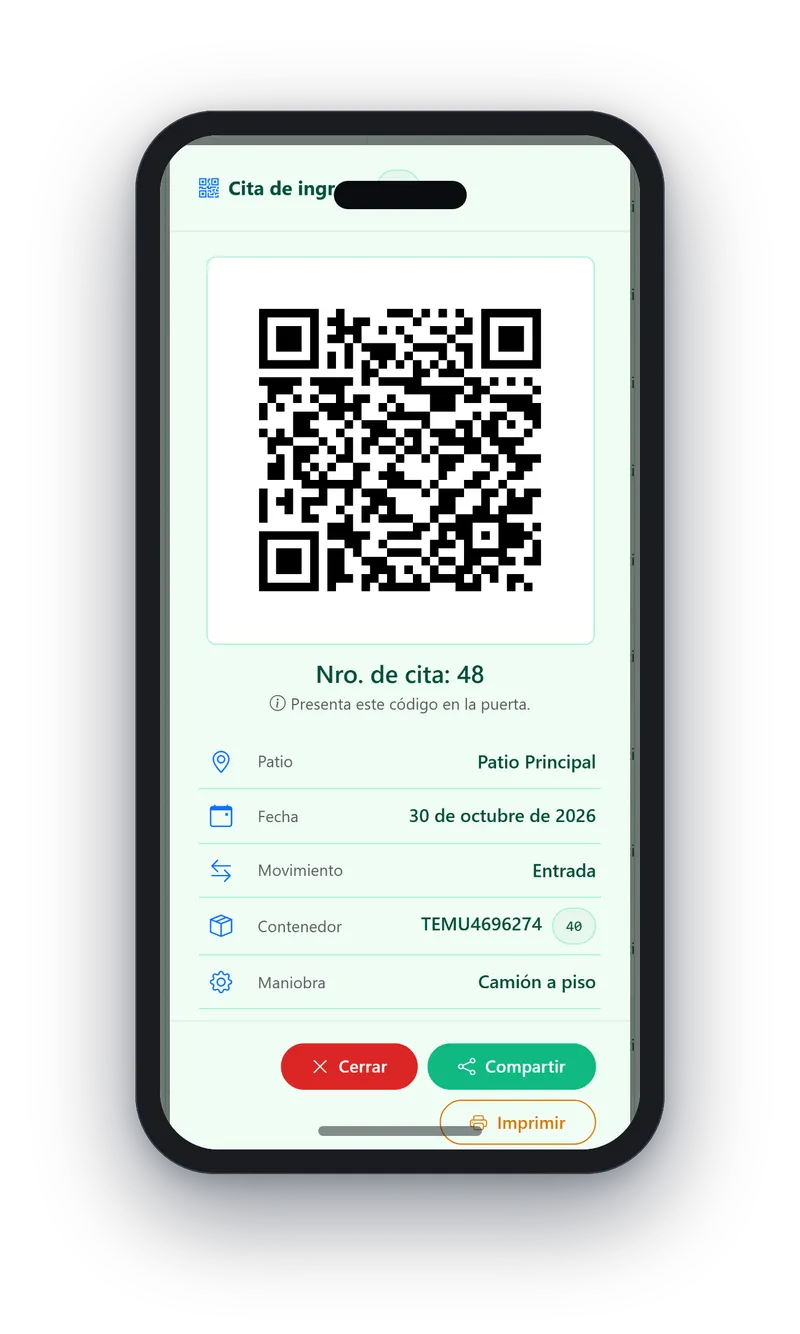
Get the QR ticket
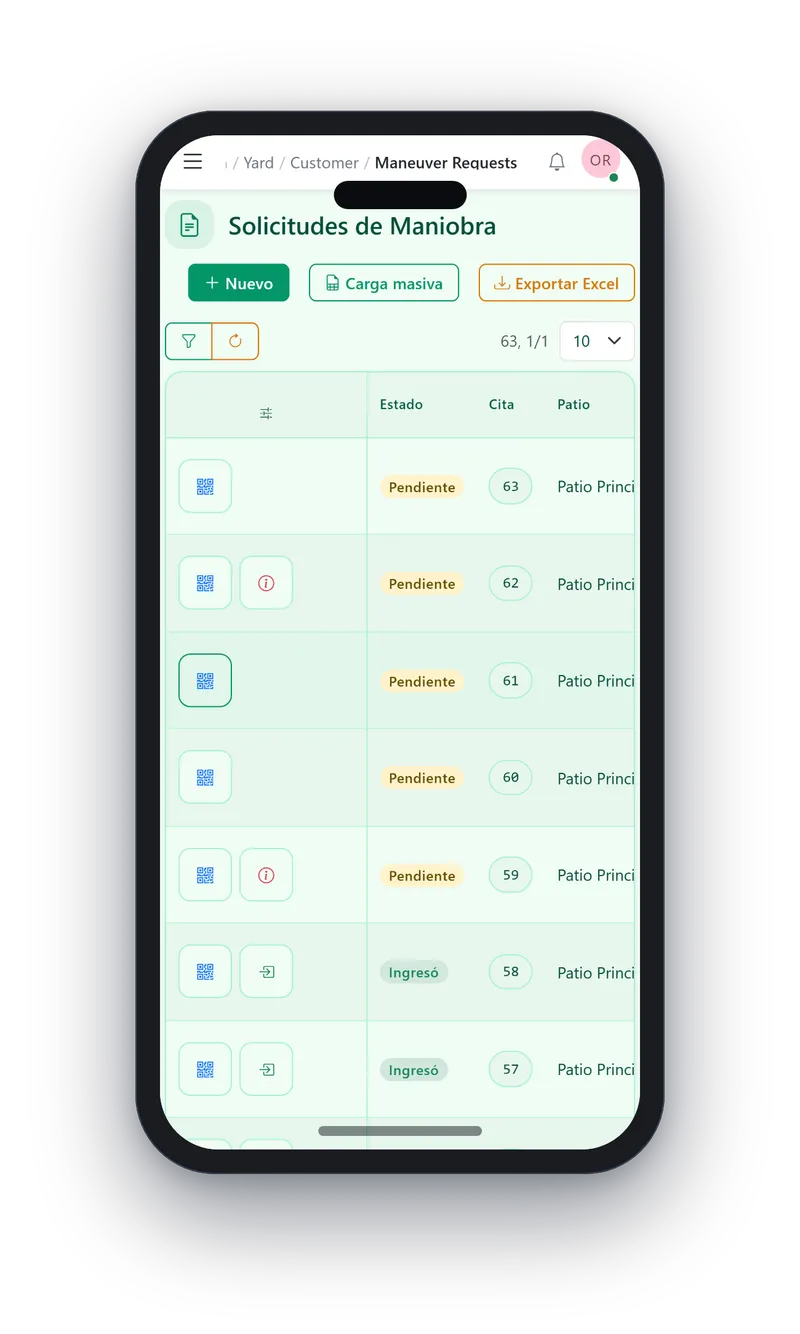
Every appointment produces a ticket with a QR code and an appointment number, to share on WhatsApp or print. The request list shows whether each one is still pending or already checked in.
- Ticket shareable as an image or printable
- Status per request: pending or checked in
Request list -
Step 3 Access control
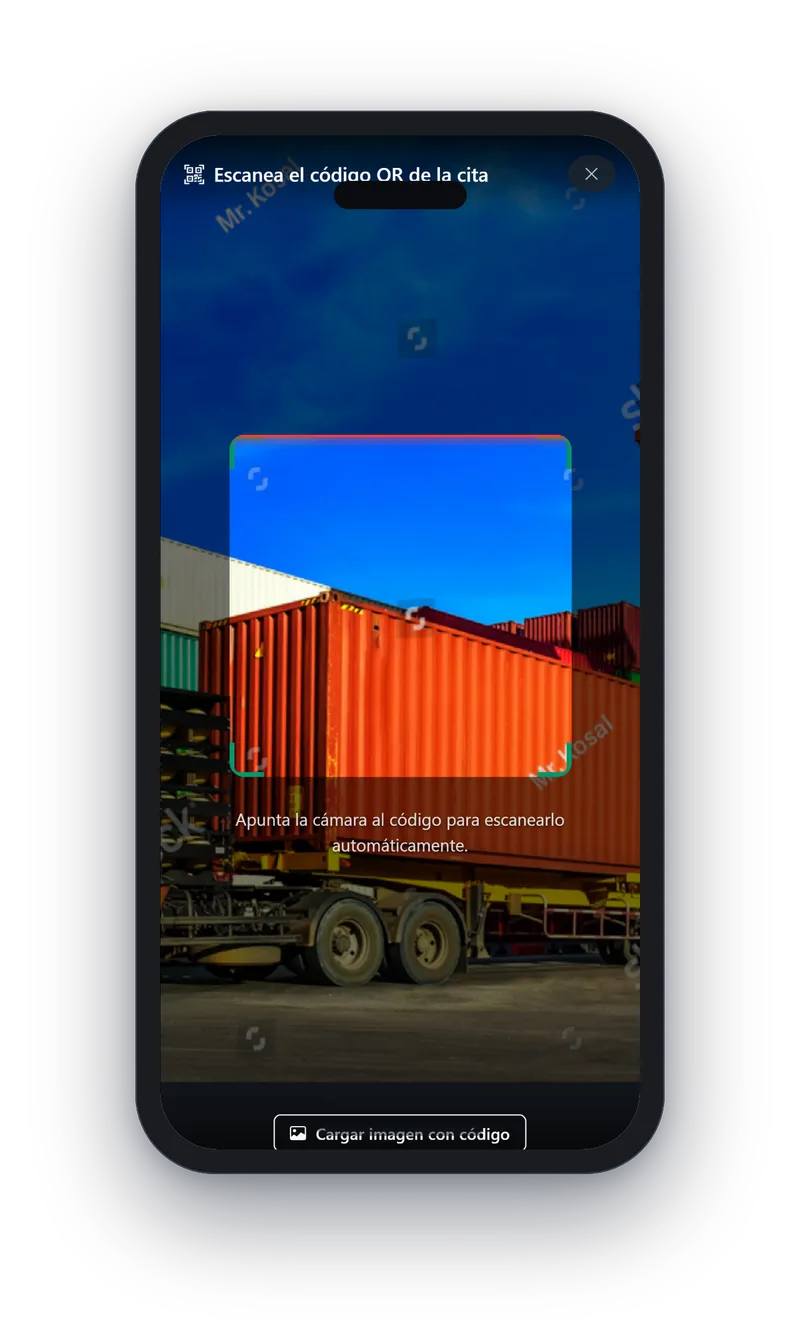
Validate at the door with one scan
Scan the driver’s QR or type the appointment number. The system confirms it is still pending and you record the movement with carrier, driver, plates, photos and a comment.
- Up to 5 evidence photos per movement
- A used appointment cannot be recorded twice
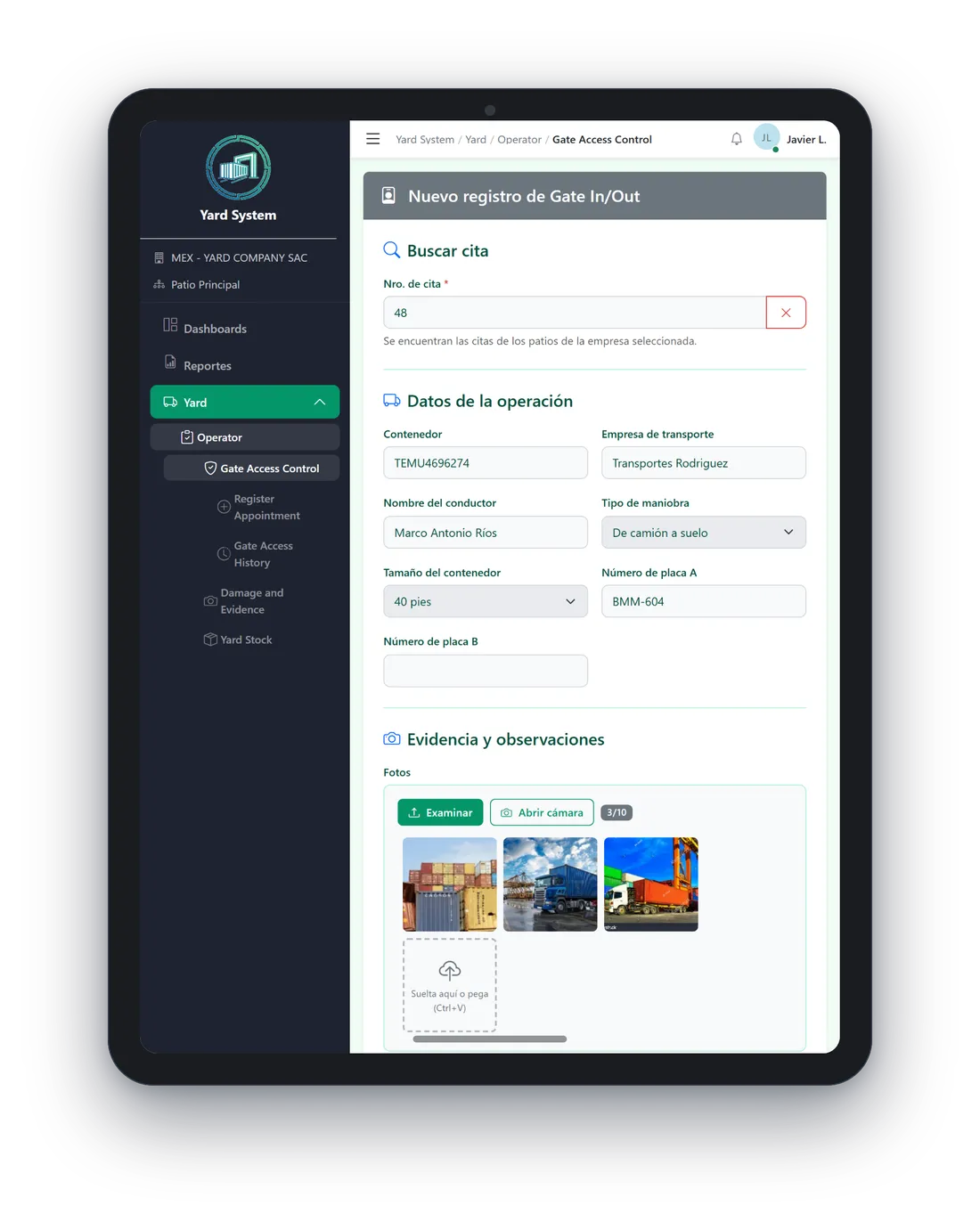
Scan and Gate In/Out record -
Step 4 Evidence
Leave evidence of damages
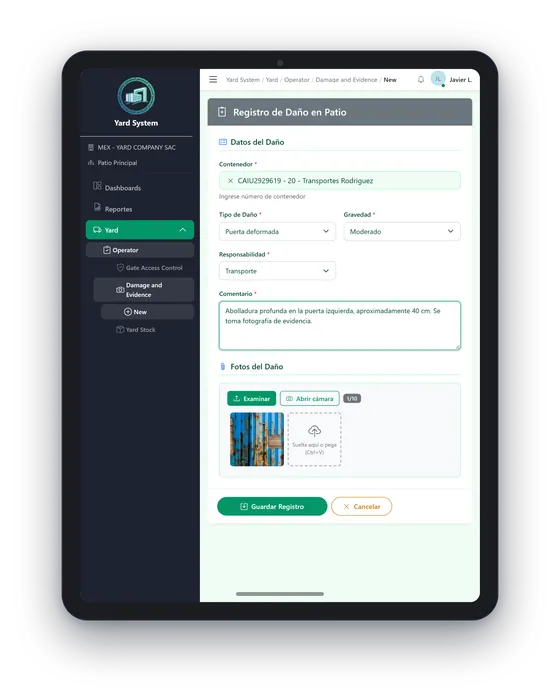
Record the damage with type, severity, responsibility, a comment and up to 10 photos from the camera. Inventory shows which containers are in stock and which have left.
- Damages with photos and responsible party
- The customer can check the damages of its container
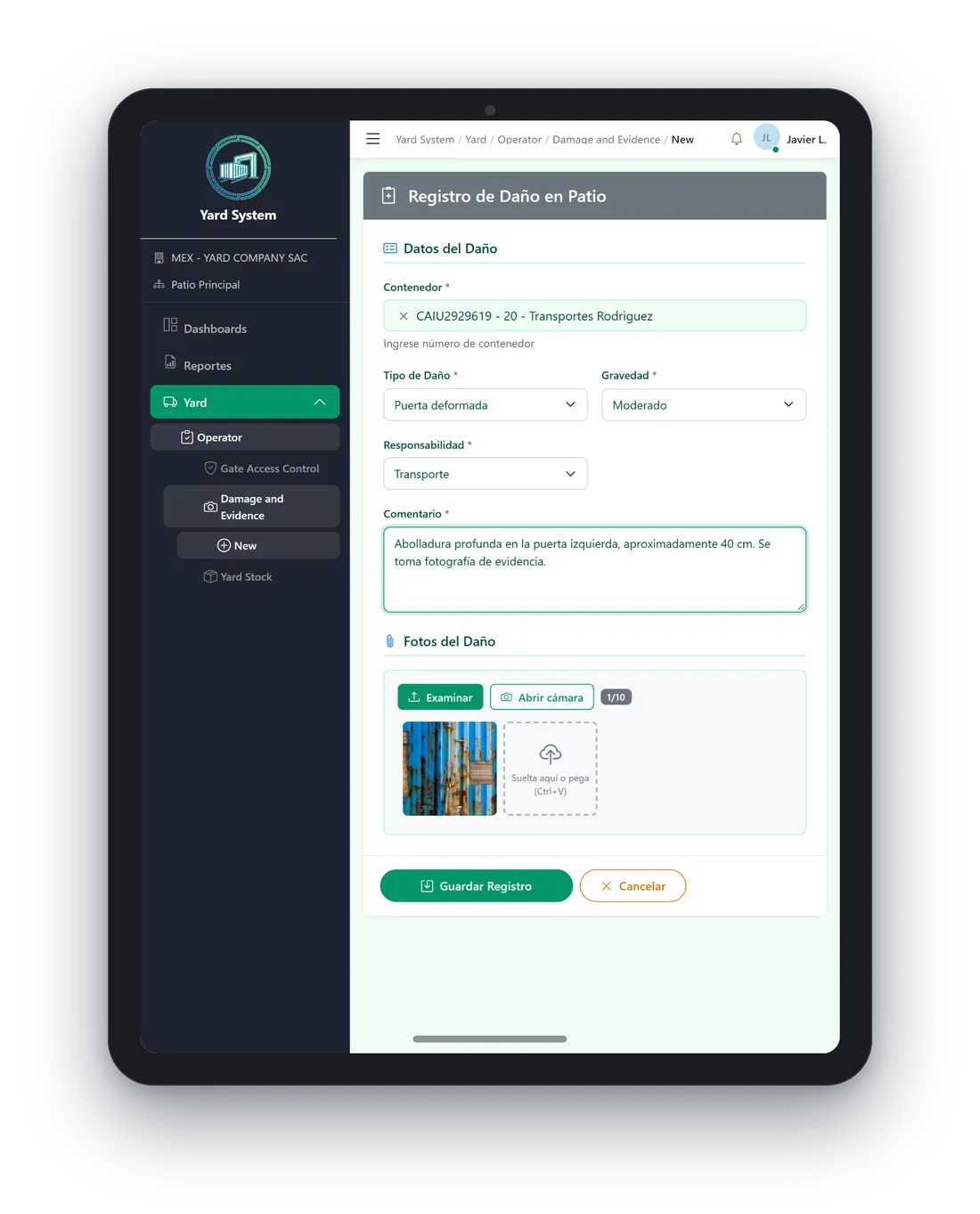
Yard damage record
Your yard in real time
The dashboard brings together what happens today and how full the yard is, on a laptop or a phone.
- Today’s Gate In and Gate Out: scheduled, completed and pending, with progress
- Yard utilization against its TEU capacity
- Entry and exit movements per month
Coming soon: a real financial summary. Today that panel shows demo data.
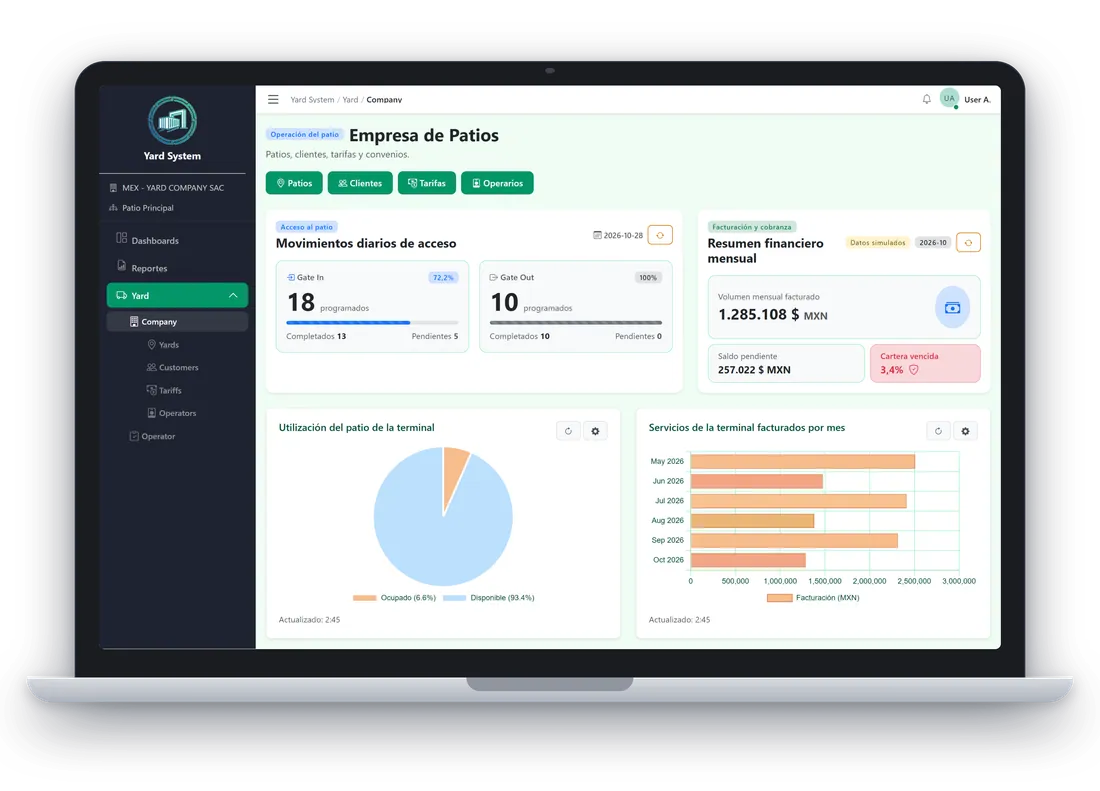
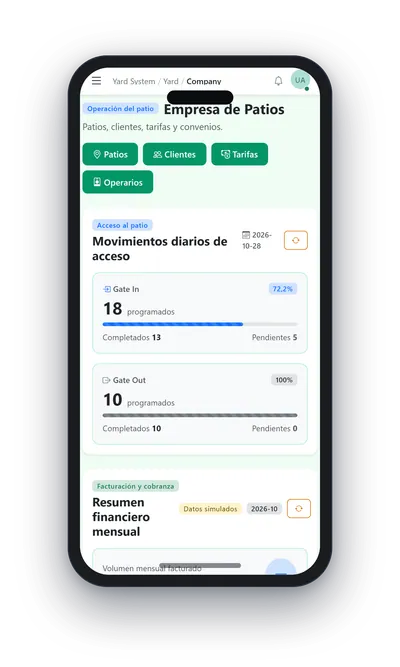
Demo data The interface is shown in Spanish.
Download brochure (PDF) · PDF, in Spanish, 2.8 MB
Why your operation changes
Three benefits of digitalizing access to your yard, with the features that make them possible.
1 Your competitive edge
Direct customer appointments
Your customers stop calling and start booking.
- Each transport company books its appointments in the app, one by one or from Excel
- QR ticket to share on WhatsApp or print
- Status of every appointment, entry detail and damages of its container
2 Security
Access control at the gate
Only those with a valid appointment get in.
- QR scan or appointment number; a used appointment cannot repeat
- Up to 5 evidence photos and a comment per movement
- Access history and damages with up to 10 photos
3 Control
Real-time visibility
You see the whole yard while it operates.
- Today’s Gate In and Gate Out, with progress
- Utilization against TEU capacity and inventory in stock
- Data separated by company and by yard
Each customer only sees its own appointments and containers.
Already running as Nexus Yard
Ovenfo Yard is delivered to customers under their own brand. The pilot runs as Nexus Yard, on the Ovenfo platform.
The captures on this page are real Yard screens with test data. The bay map at the top is an example.
- evidence photos per movement
- 5
- real screens captured from the pilot
- 11
Frequently asked questions
Can my customers book their own appointments?
Yes, that is Yard’s edge: each transport company enters the app, registers its appointments one by one or from Excel and gets its QR ticket, without going through your team.
What happens if an appointment was already used?
Yard does not let it be recorded again: the system checks that the appointment is still pending before saving the movement.
What does the Ovenfo AI Agent do?
It is built into the app and runs actions and handles events for you. You can also connect Yard to your own AI agents (Claude, ChatGPT, Copilot…).
What is on the roadmap?
A real financial summary on the dashboard, once the invoice service exists. Today that panel shows demo data.
Does each company see only its own data?
Yes. Data is separated by company and by yard, and each customer only sees its own. Yard runs in the browser, nothing to install.
Shorter gate queues, more control of your yard.
Enter Yard, or tell us how your yard works and we will show you how your customers book.